How to Use F5IP
Follow this simple guide to manage and renew your intellectual property rights efficiently.
Get Started
First, ensure you have an account. Click Sign Up to create a new account or Log In if you already have one. Access your dashboard to begin.
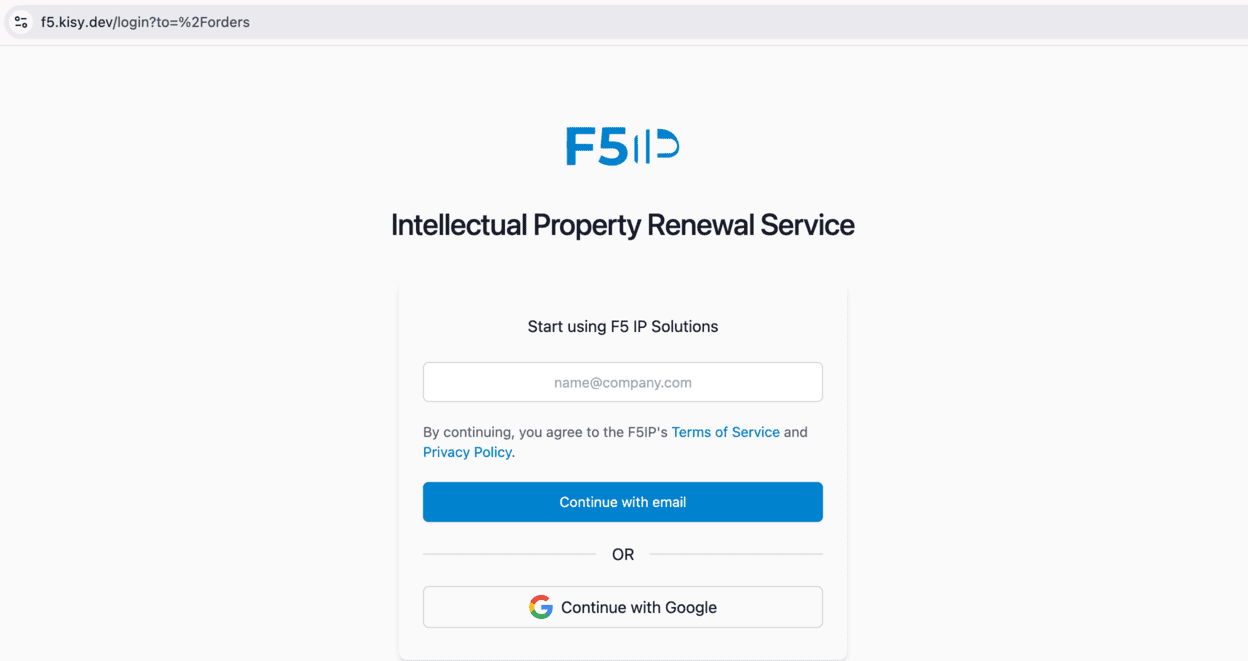 Screenshot: Login / Signup Page
Select Jurisdiction
Navigate to the Renew page. The first step is to select the Country or Region where your IP is registered. This ensures we provide the correct pricing and requirements.
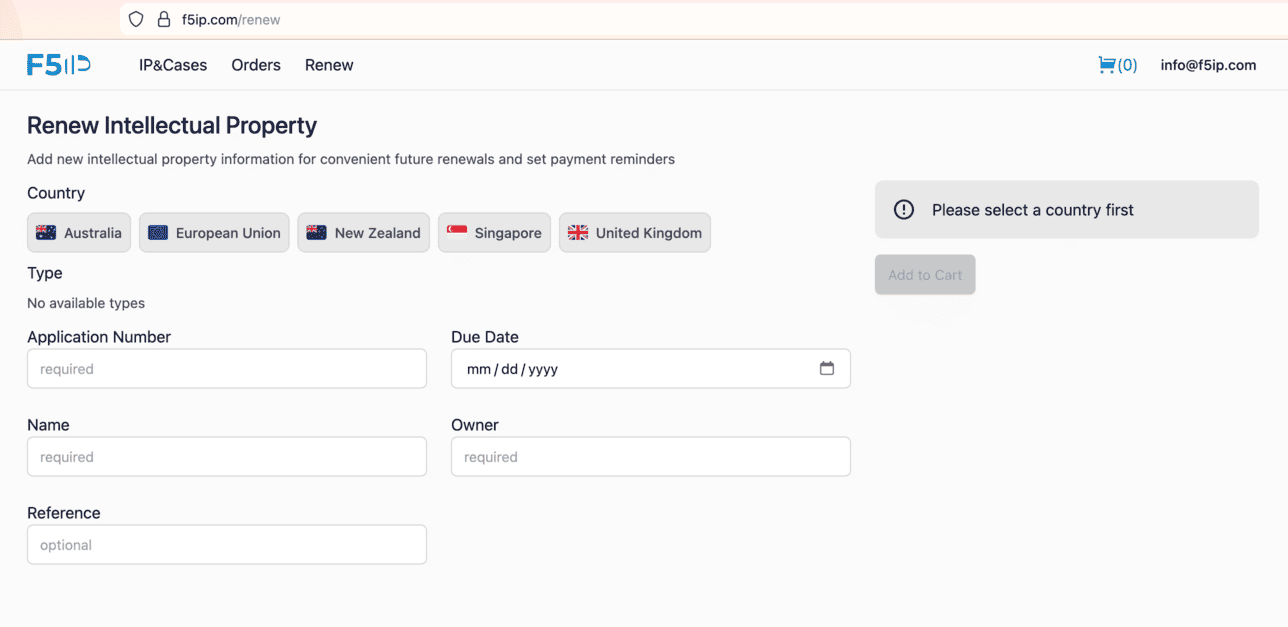 Screenshot: Country Selection
Select IP Type & Search
After selecting the country, choose your IP type: Trademark, Patent, or Design. Enter your registration number or search for your IP details to proceed.
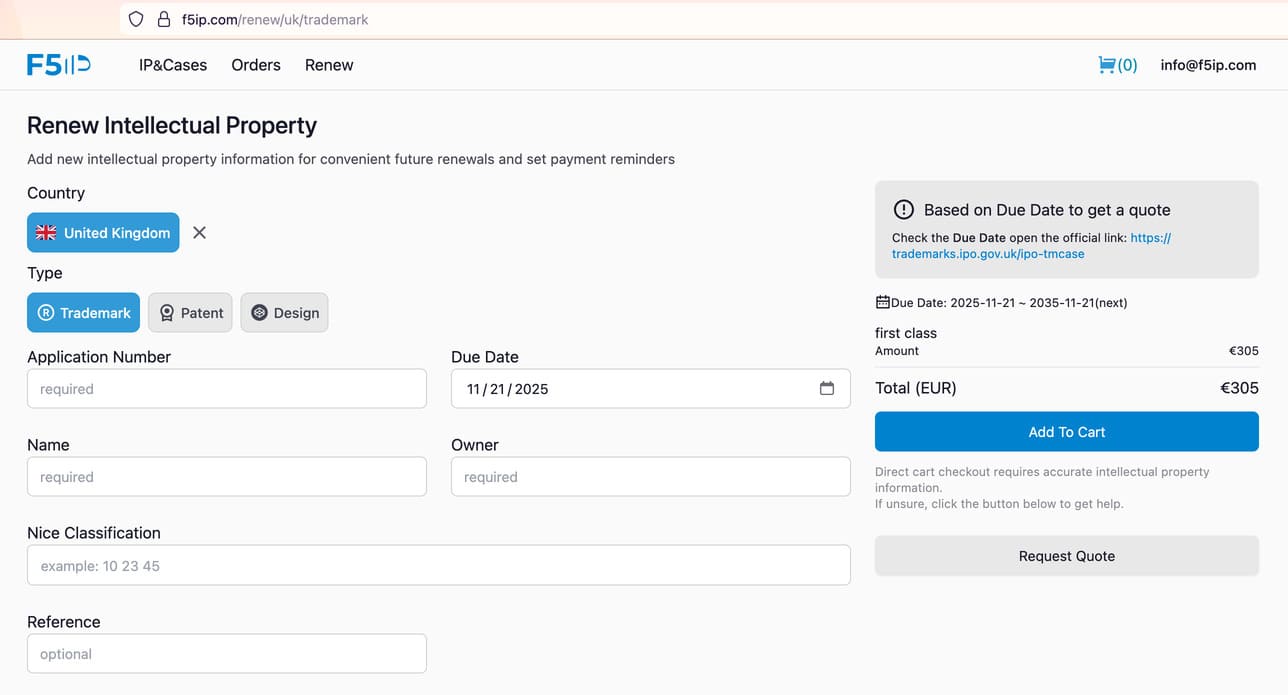 Screenshot: IP Type & Search
Add to Cart & Checkout
Review the renewal details and click Add to Cart. When you are ready, go to your Cart to review your order summary and proceed to Checkout to complete the payment securely.
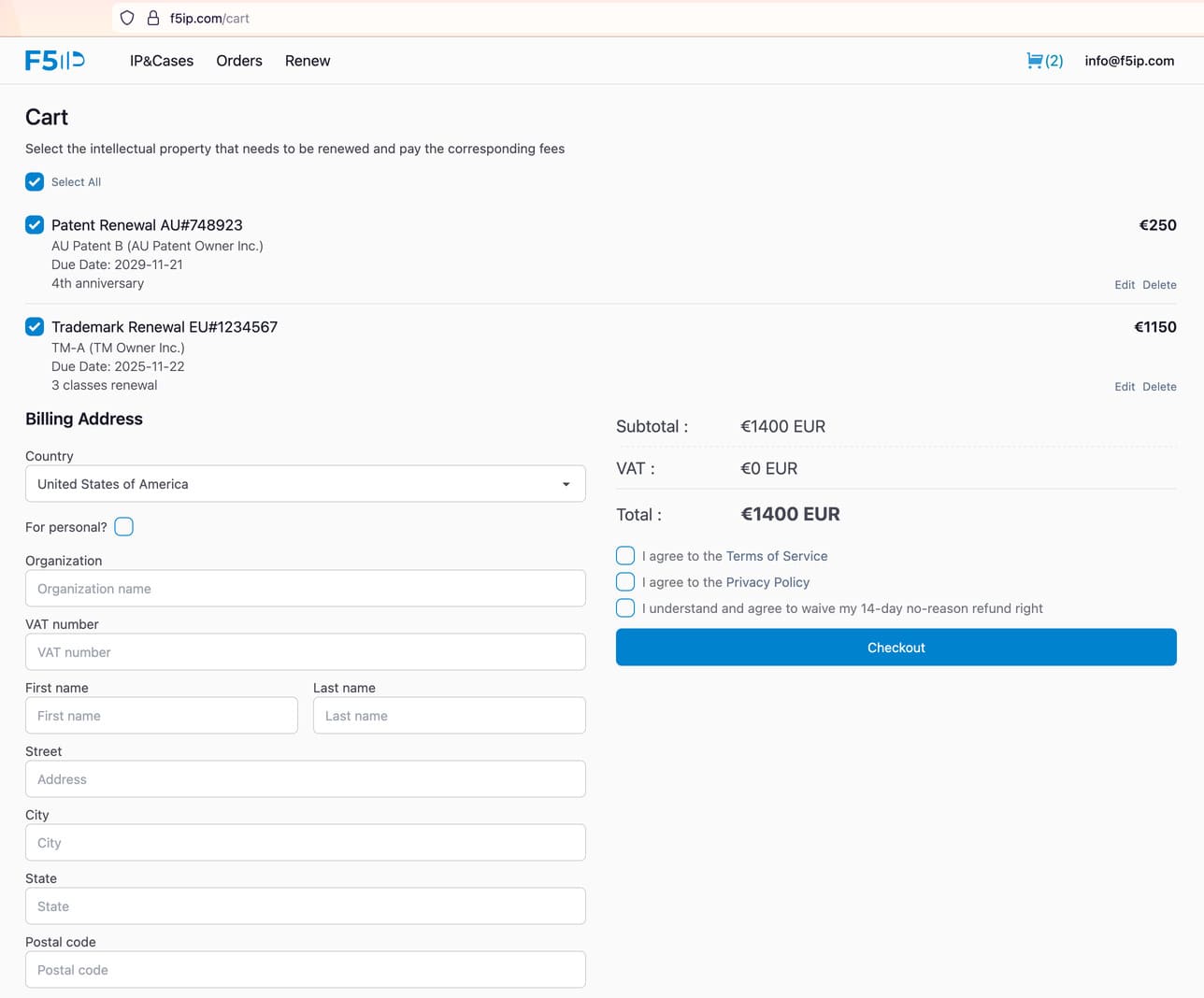 Screenshot: Cart & Checkout
Track & Manage
Once paid, you can track the status of your renewal in the Orders section. You can also manage all your intellectual property assets in the Properties dashboard.
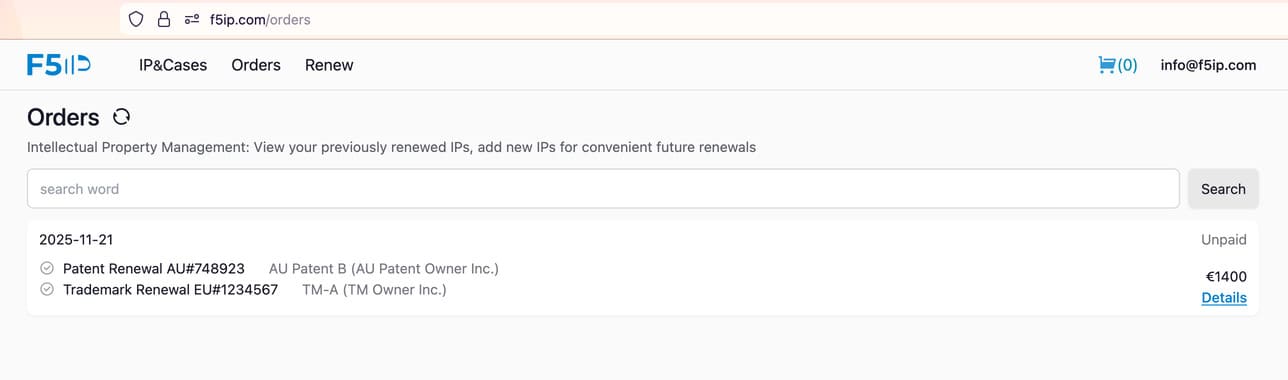 Screenshot: Orders